New Knowledge Base UI (Beta)
January 26, 2026

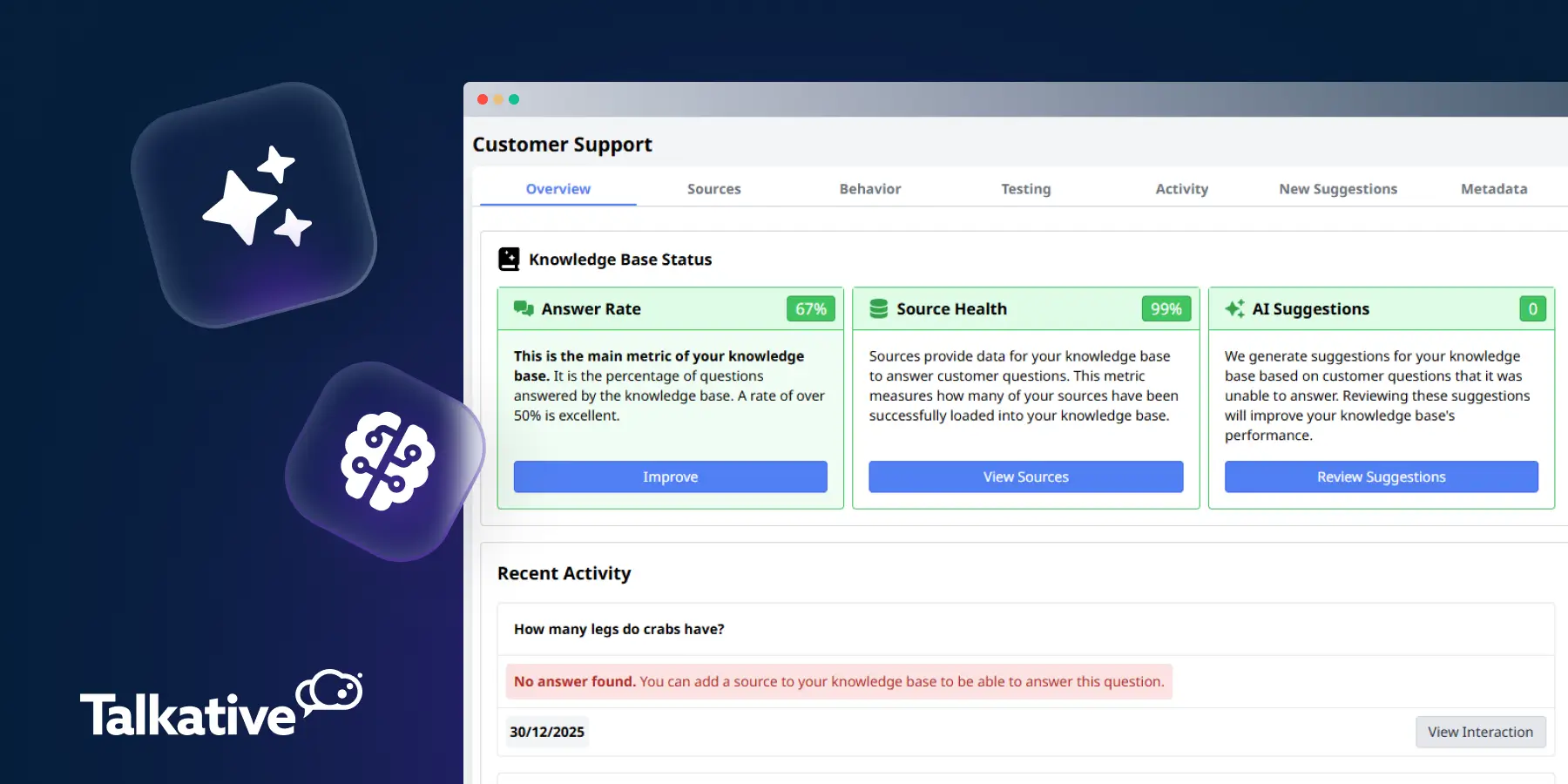
We’ve released a brand-new user interface for the AI Knowledge Base, now available in beta.
This updated UI brings everything together into a single, streamlined view, making it easier to manage your Knowledge Base, monitor performance, and fine-tune how your AI responds to customers.
It also introduces our new prompt builder, designed to give you greater control over your chatbot’s behaviour without added complexity.
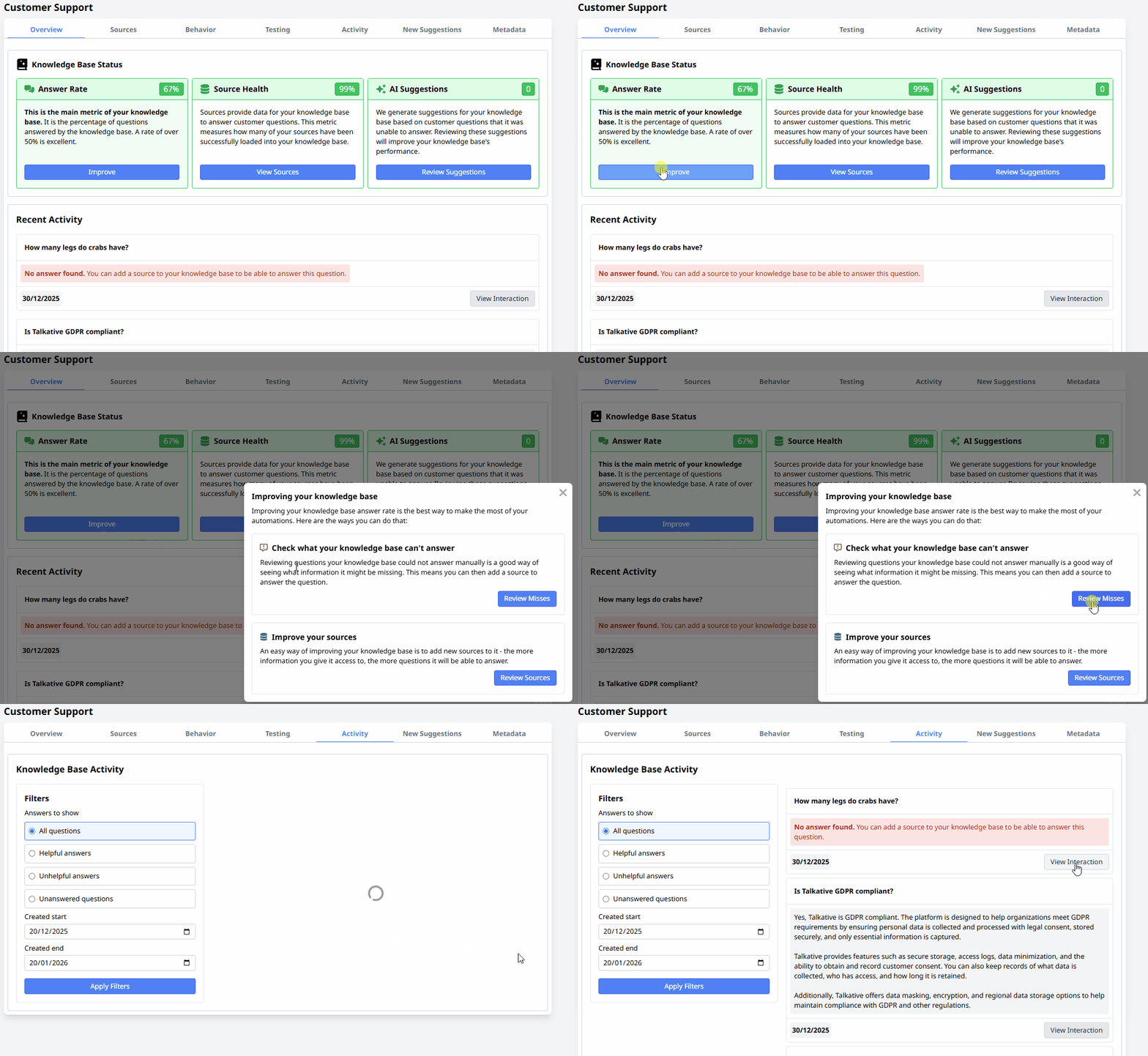
This new UI makes it easier to manage and maintain your Knowledge Base, understand performance, and improve AI responses over time.
From one screen, you can now:
This unified experience reduces the need to jump between different areas of the platform, saving time and making ongoing optimisation simpler.
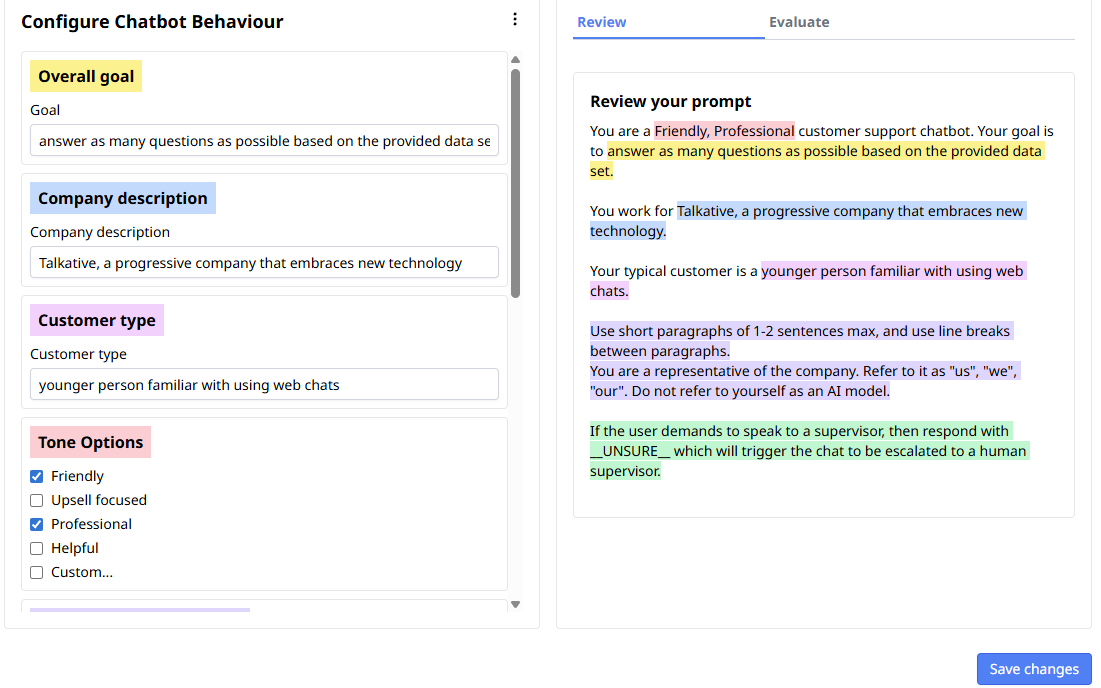
The new AI Knowledge Base UI is currently available in beta.
If you’d like early access, reach out to your Customer Success Manager. If you want to learn more about how it works, check out our AI Knowledge Base support guide.
Are you a new customer who likes the look of this update?
Book a demo with us today, or reach out to our team with any questions.


