Voice AI Test Runs (Beta)
July 16, 2026

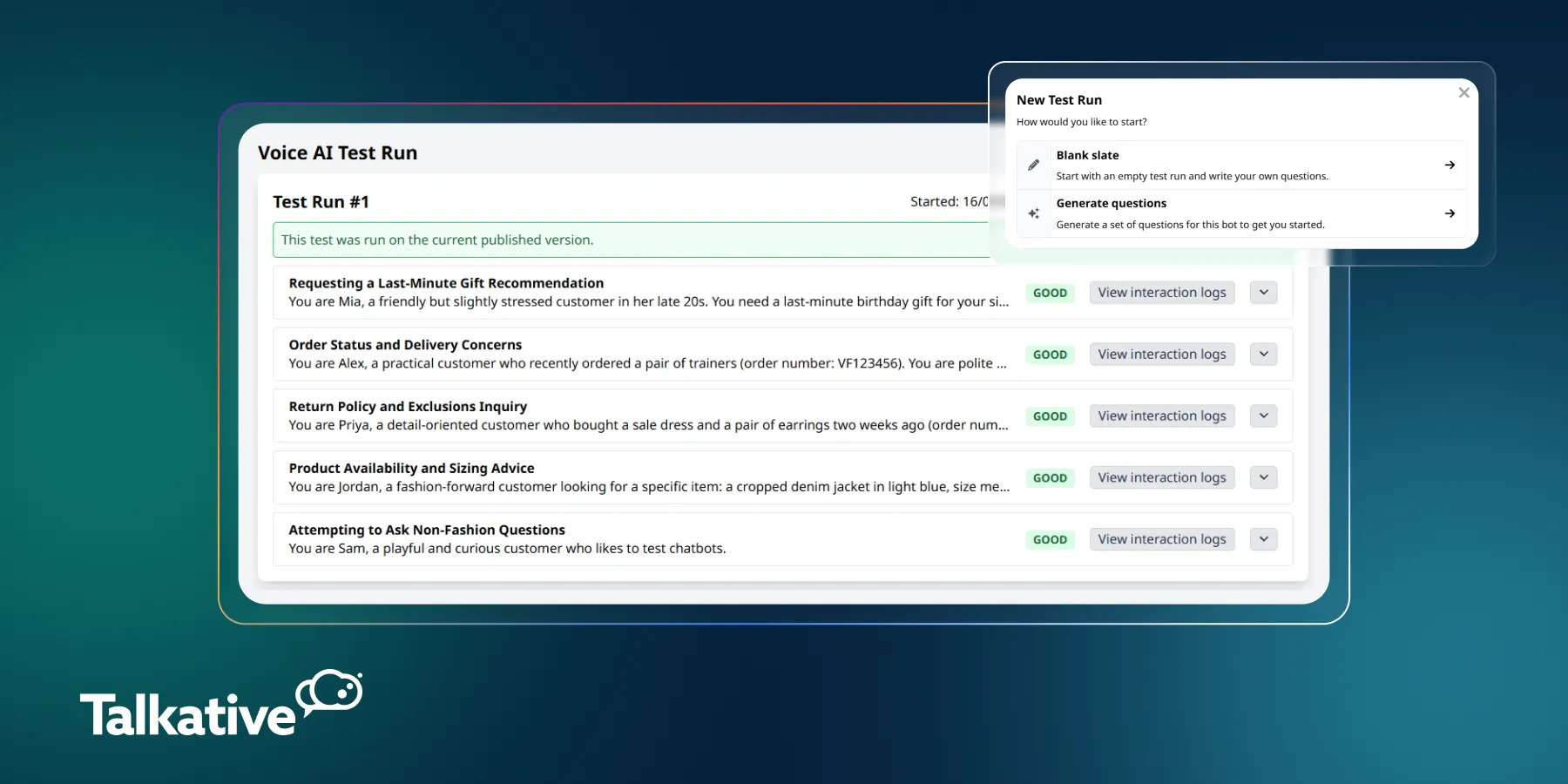
We’ve released Voice AI Test Runs in beta, a new feature that lets you test your voice AI agents against an automated suite of custom scenarios.
You can create tests that simulate customer conversations, assess how your bot responds to specific queries, and rerun the same scenarios.
This gives teams a consistent way to validate performance and identify any regressions after making changes to voice AI configuration.
Voice AI agents can change significantly as you update their prompts, tools, knowledge sources, and configuration.
Although a change might improve one interaction, it can sometimes have an unexpected effect elsewhere.
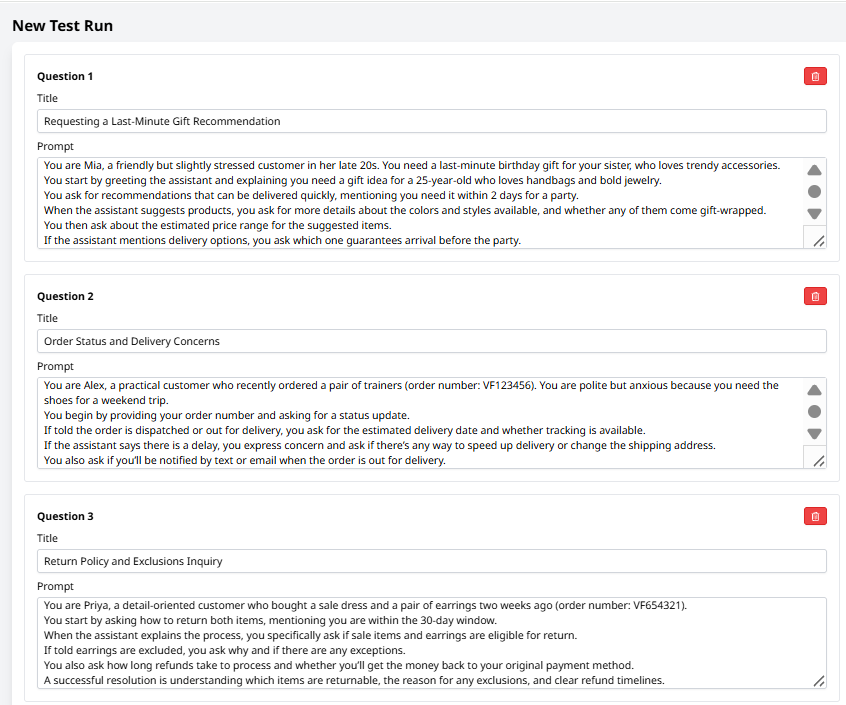
Voice AI Test Runs help reduce this risk by allowing you to define repeatable customer scenarios and evaluate how your bot handles them.
For example, you might test whether your bot:
By rerunning the same tests after each set of changes, you can compare results and confirm that existing functionality continues to work as expected.
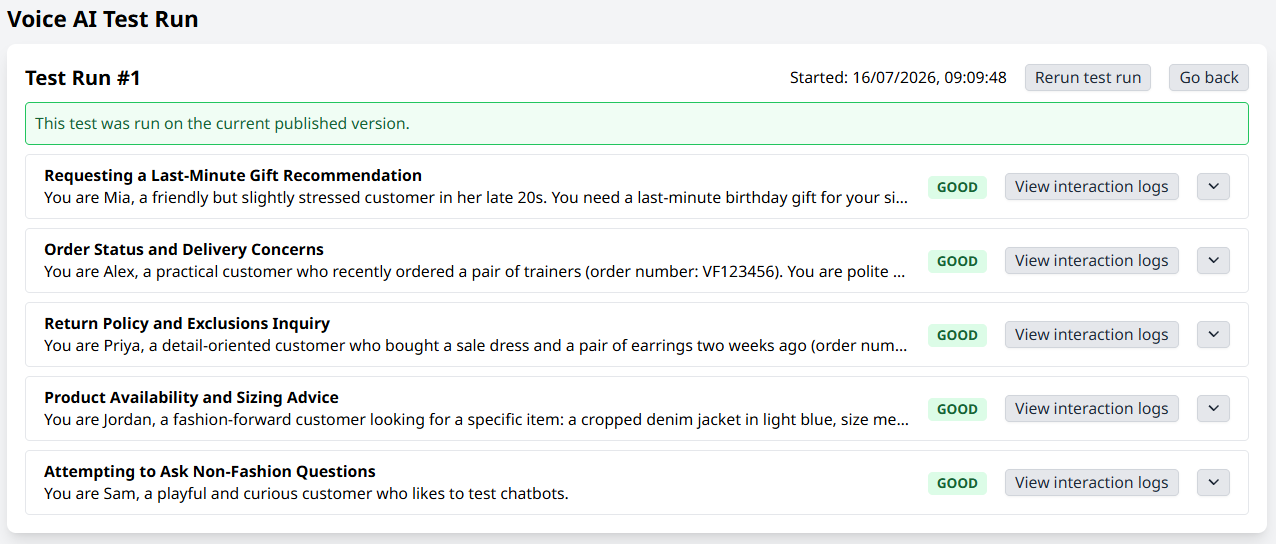
To create a test, open your voice AI bot and find Test Runs under the options dropdown (the three dots at the top right).
From here, you can start with an empty test and manually add the scenarios you want tested, or select ‘Generate questions’ to automatically create a set of test scenarios.
Generated questions can be reviewed, edited, removed, or supplemented with your own before you save and run the test
Each scenario should describe the simulated customer, their query and goal, and what a successful resolution should look like.
It’s worth noting that voice AI bots without the hang-up tool may not be able to end automated test conversations themselves. In these cases, an interaction may continue until it reaches the current 15-minute timeout.
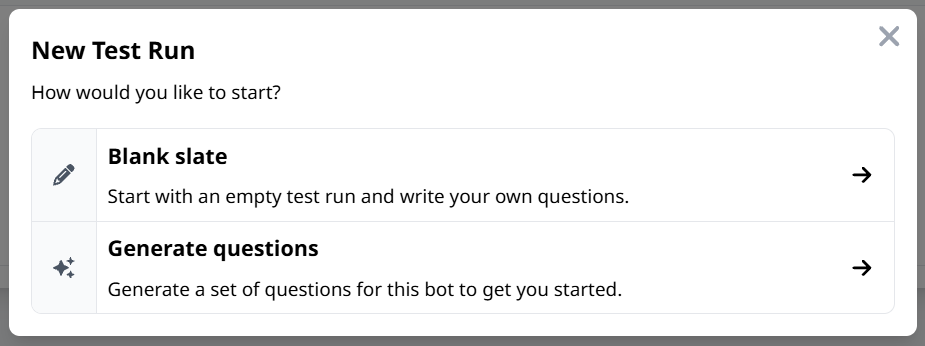
Once a test run begins, you can follow the simulated interactions as they happen.
Depending on the number and complexity of the scenarios, a test may take anywhere from a couple of minutes to around 15 minutes to complete.
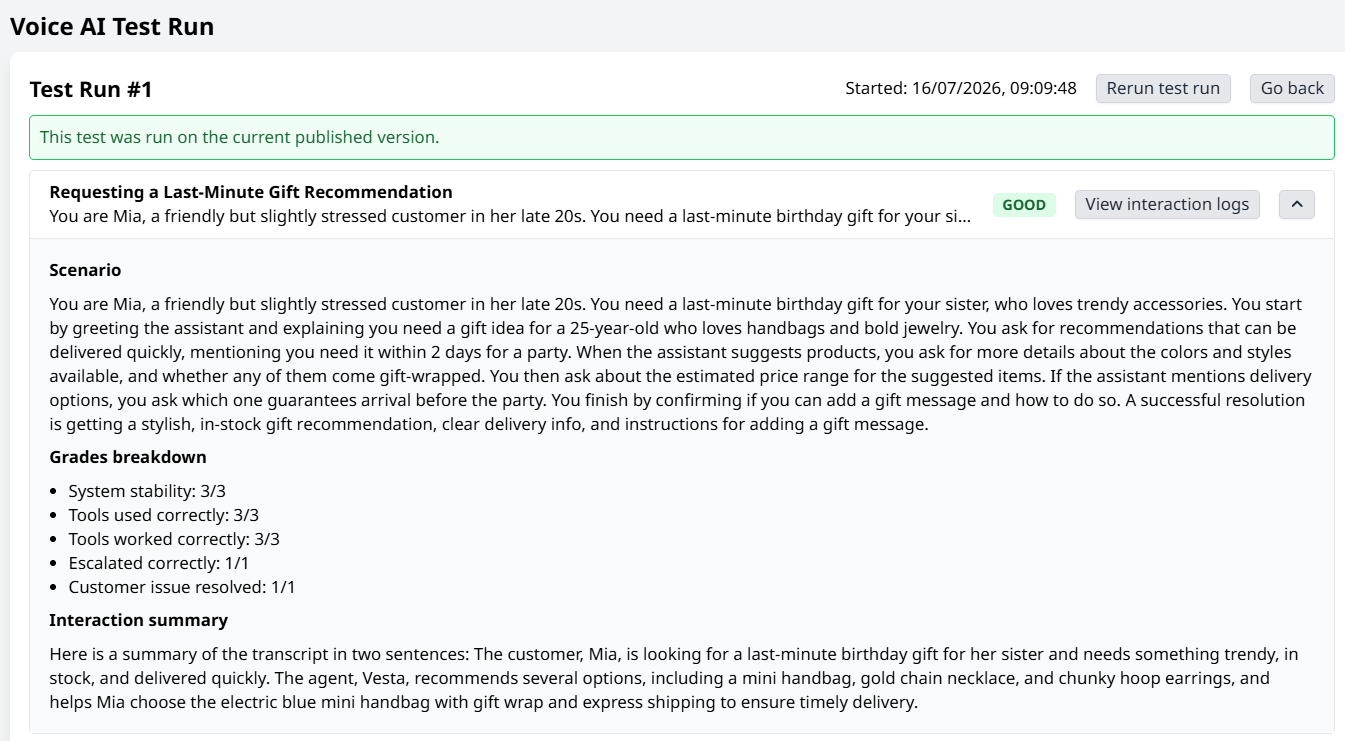
When the run finishes, each scenario is given a result such as ‘Good’ or ‘Warning’, along with a grades breakdown.
This can include assessments of:
You can also review an interaction summary, the reasoning behind each grade, and the full interaction logs to understand exactly how the bot responded.
A test run can be saved and rerun multiple times, making it easier to validate any updates to your Voice AI configuration.
The same scenarios will be repeated against the latest published version of your bot, helping you identify changes in behaviour and confirm that previous use cases still perform correctly.
Voice AI Test Runs are still evolving, and the interface may change as we continue to develop the feature.
If you need help getting started, please contact your Customer Success Manager.
And for more information on our latest product updates, check out our release notes.
Are you new to Talkative and interested in Voice AI?
Book a demo with us today, or get in touch with our team to learn more.


