How to Test an AI Customer Service Agent: A Practical Framework
August 11, 2026
Time:
8
mins

Can you actually trust an AI Agent to handle real customer conversations without watching over its shoulder?
This is a key question for businesses and contact centres looking to invest in AI customer service.
The truth is, you can. But only if you've tested it properly first.
This guide sets out a practical framework for testing an AI customer service agent, both before launch and on an ongoing basis.
We'll cover:
Testing an AI Agent isn't a single pre-launch checkbox. It's an ongoing process that spans knowledge accuracy, prompt adherence, conversation quality, task completion, escalation, and channel performance.
There are some key principles that make testing more effective:

Testing often gets treated as a formality before go-live, something to tick off rather than to build into how AI is run day-to-day.
That's the wrong way to think about it. Testing is what turns AI customer service from a leap of faith into something you can actually manage and trust.
Before launch, testing is about proving that the AI is ready for real customers.
Teams need to check that it can answer accurately, follow policies, complete key tasks, handle edge cases, and escalate conversations appropriately.
This is where gaps in knowledge, configuration, and conversation design should be identified and fixed before they affect the customer experience.
After launch, the focus shifts from readiness to consistency and improvement.
AI performance can change as knowledge is updated, configurations are adjusted, new use cases are introduced, and customer behaviour evolves.
Ongoing monitoring helps teams catch regressions, identify emerging weaknesses, and make sure the AI continues to perform as expected over time.
In other words, pre-launch testing helps you launch with confidence, while continuous testing helps you keep that confidence.

Rather than testing everything as one long list of scenarios, it helps to test AI within named categories.
Each category checks for a different way the AI Agent could fail.
Here, the goal is to verify that the AI Agent can retrieve the correct information from your approved knowledge base when answering customer questions.
It also ensures the AI doesn't invent an answer when it doesn't know one.
For example, testing what happens when the AI is asked about a specific policy, or a product that isn't in your knowledge base at all.
An AI Agent that sounds confident but answers incorrectly is more damaging than one that simply says it doesn't know.

This checks that the AI Agent stays within the role, tone, and rules defined by its prompt (i.e. instructions).
This includes instances where a customer tries to push it outside its remit.
For example, testing what happens when the AI Agent is asked to bend a refund policy, or asked to do something that requires human escalation.
.webp)
For conversation quality, you’re assessing whether AI responses read naturally and align with your tone of voice.
This is important for ensuring the customer experience is positive and stays on-brand.
To test this, it’s useful to read a sample of transcripts as if you were the customer, not just checking whether individual responses are correct.

The focus here is whether the AI Agent can complete an entire journey, such as an appointment booking or cancellation, rather than simply answer a question about it.
It’s important to test each step of the journey to make sure the AI collects the right information, triggers the correct actions, and reaches the intended outcome.
A response can be accurate in isolation, but if the wider task fails or gets stuck midway, the customer’s issue still hasn’t been resolved.

Escalation testing looks at whether the AI Agent recognises the right moment to hand a conversation over to a human agent.
It also requires testing handover quality and making sure context isn’t lost along the way.
We cover this in more detail later in this guide.

Finally, you’ll want to assess whether the AI Agent performs consistently across voice, chat, and messaging channels.
It’s important because things like the AI’s role, tone, latency, escalation triggers, and failure points can differ by channel.
A response that reads well as text in a chat window may need to be shortened or rephrased to sound natural when spoken aloud.
.webp)
A test set is a collection of questions, scenarios, and edge cases used to evaluate how an AI Agent responds in different situations.
For it to be useful, it needs to reflect how real customers actually talk, not how you imagine they talk.
Start with real, common question patterns. Some AI Agent testing tools (e.g. Talkative’s Knowledge Base Test Runs) can automatically generate a set of test questions based on your own interaction data.
This keeps the test set grounded in genuine customer language rather than guesswork.
Then add edge cases deliberately: partial information, an already-frustrated customer, conflicting policy questions, and requests the AI Agent should refuse.
Vary the wording and level of detail too. Some customers write two words; others write a paragraph.
A test set that only covers the easy questions will tell you nothing about how the AI Agent behaves on a bad day.
Save the test set once it's built, and re-run it every time you change the AI prompt, a knowledge source, or a configuration setting, rather than starting from scratch each time.
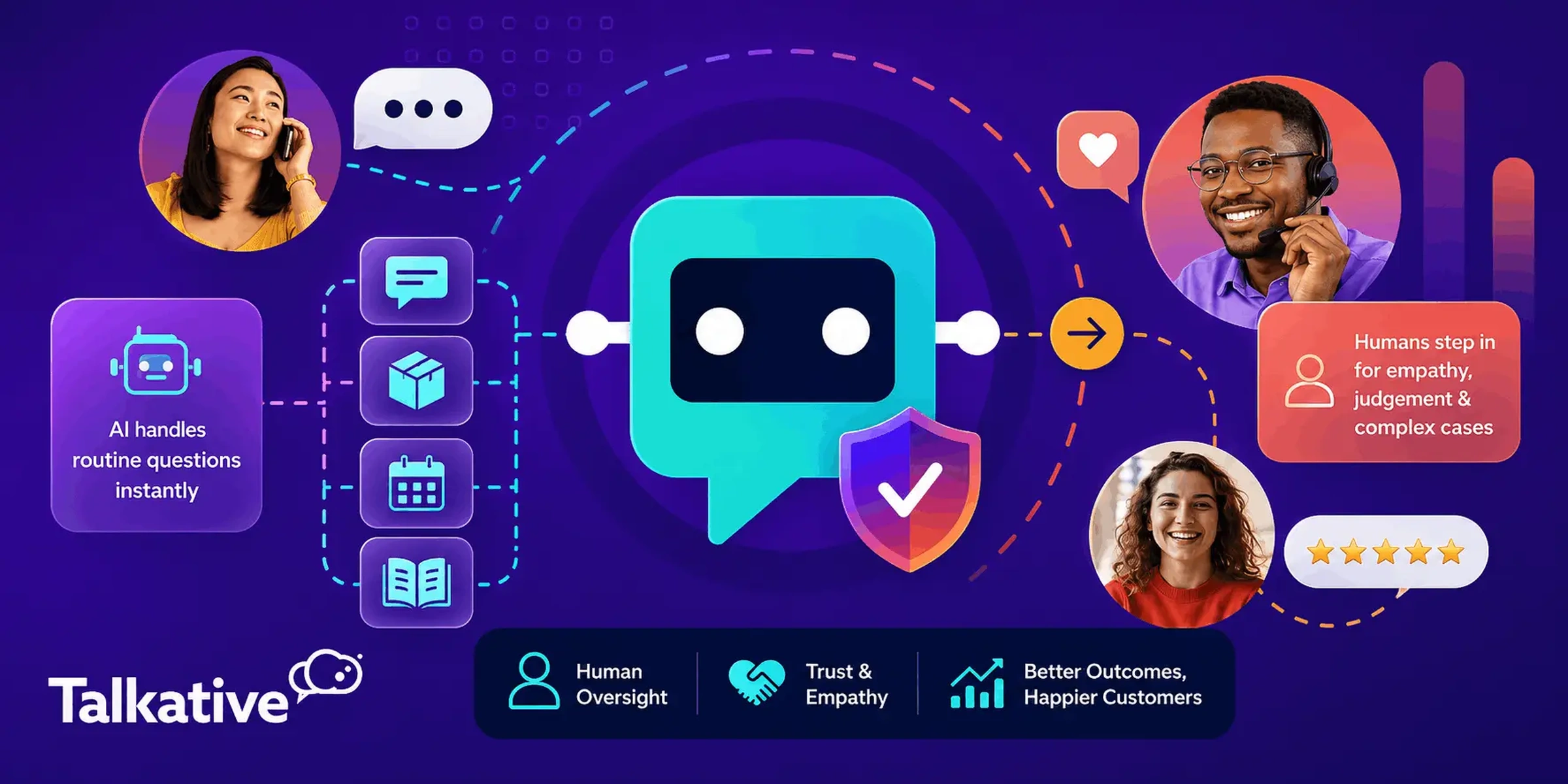
Testing the quality of your AI-to-human handovers is essential.
This is a key principle of human-in-the-loop AI customer service. Without it, customer experience, CSAT, and efficiency will suffer.
Customers need to be able to move seamlessly from automated support to a human agent when needed, without added friction or repeating themselves.
Escalation testing checks two separate things:
You can assess the recognition side by deliberately testing scenarios that the AI Agent should escalate to a human, for example:
Test the handover side by checking what the human agent receives from the AI as part of the handover. An effective AI-to-human transfer must keep context intact.
This typically involves the AI providing a conversation summary, transcript, captured details, and the reason for escalation, rather than requiring a customer to start from scratch.
A human escalation test isn't complete until you've checked what the live agent actually sees when the interaction arrives.
When you’re testing your AI, a simple pass or fail result doesn't tell you enough to act on.
A more useful scorecard grades each test scenario across several dimensions:
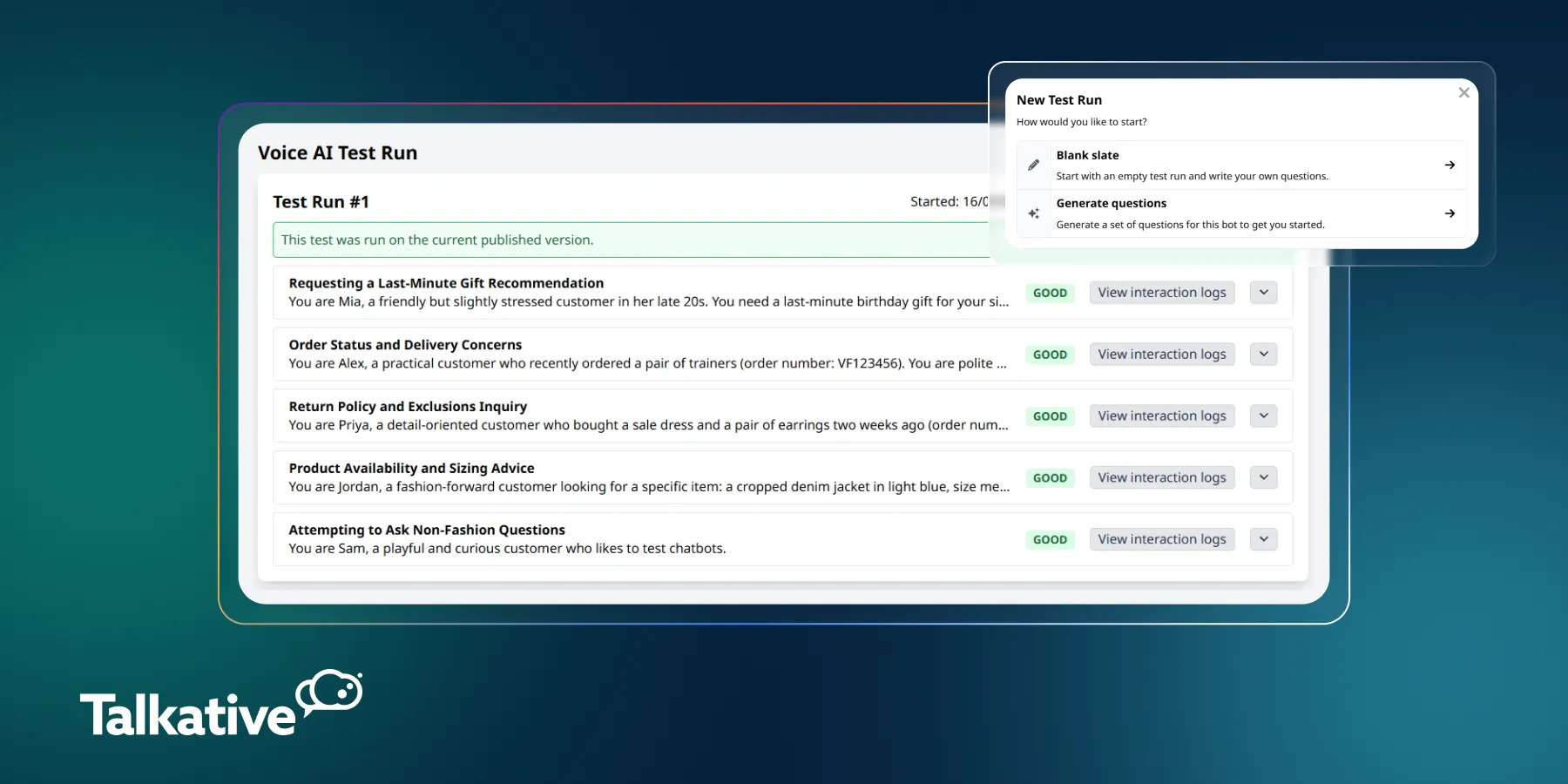
Some AI Agent testing tools already work this way.
For example, Talkative's Voice AI Test Runs grade each scenario as good or a warning across dimensions including tool selection, escalation handling, and resolution.
This score is provided alongside the full interaction log so you can see exactly why a scenario scored the way it did.
A test result should tell you not just whether the AI Agent passed, but why it passed or failed.
Whatever tool you use, build your own scorecard around these same dimensions rather than a single overall score.
Pre-launch testing follows a simple loop: run the test set against the current configuration, review every flagged response, fix the underlying issue, and re-run the test set to confirm the fix worked.
Repeat that loop until scores stabilise across every category before considering the AI Agent ready to go live.
Structured testing fits inside a standard implementation timeline; it doesn't need to extend it.
It also provides reassurance that your AI is ready for launch and won’t fail when faced with real customer interactions.
This matters if you're building a business case for AI internally.
A defined, time-boxed testing process that will prove value and performance is far easier to defend to your stakeholders than an open-ended rollout built on assumptions.
AI testing doesn't stop at go-live.
Trustworthy AI customer service is actively tested and managed, not deployed once and left alone.
An AI Agent's behaviour can shift as knowledge sources are updated, prompts are refined, or customer behaviour changes over time.
That’s why continuous review and monitoring must be a part of your AI performance management.
This process typically includes:
Over time, this ongoing management creates a cycle of improvement and optimisation.
In turn, your AI will deliver better outcomes, resolve more customer issues effectively, and generate greater value for your business the longer it’s in use.
A real-world example of this is Healthspan, a leading UK wellness and supplement brand, who increased their AI resolution rate from 30% to 90% by reviewing performance and making targeted improvements.

The biggest testing mistakes usually happen when teams focus on proving the AI works, rather than actively looking for the ways it could fail.
Common pitfalls include:
Good AI testing isn't just about confirming that everything works as expected. It's about finding weaknesses early enough to fix them.
Successful AI customer service requires active testing and performance management, not a set-and-forget deployment.
Testing across response accuracy, prompt adherence, conversation quality, task completion, escalation, and channel performance gives you the visibility needed to launch with confidence and keep improving results over time.
At Talkative, we work closely with customers throughout that process, helping them test, refine, and manage AI performance both before launch and once it’s live.
This ongoing support helps ensure AI Agents are not only ready for real customer interactions, but continue to improve and deliver stronger outcomes over time.
If you're looking to deploy an AI Agent and want to talk through what an effective testing and management process could look like for your contact centre, get in touch with our team.
Get an evidence-based review of legacy voice self-service and what’s changing in phone support - with practical next steps for CX and contact centre leaders.


